As part of Microsoft Fabric, we have new Gen2 Dataflows and they have a new ability. A Gen2 Dataflow entity can have a destination, eg a table
In a previous post we uploaded a csv file into the Lakehouse. In this post we take the next step to create table from csv file loaded.
The simplest way to add data to a Lakehouse is upload a csv file or a folder of csv files. These can then be ingested easily into a table.
Lakehouses are one of the main building blocks in Microsoft Fabric. A lakehouse allows you to store structured and unstructured data in a single location. In this post we are going to create an empty one. Future posts will populate it. YouTube Version Empty Workspace with a Fabric Capacity We start in an empty workspace that has a capacity assigned...
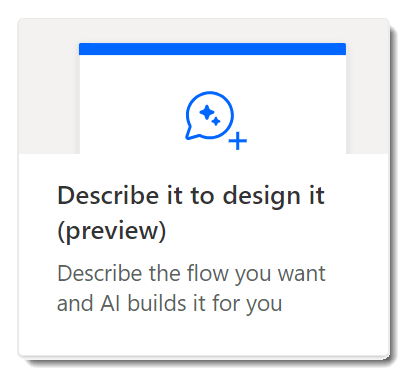
Power Automate create includes a feature called Describe it to design it which will write me a flow if I can describe it.
You can add an action to a Power BI report by adding a Power Automate button. The button will trigger a flow to run and perform actions.
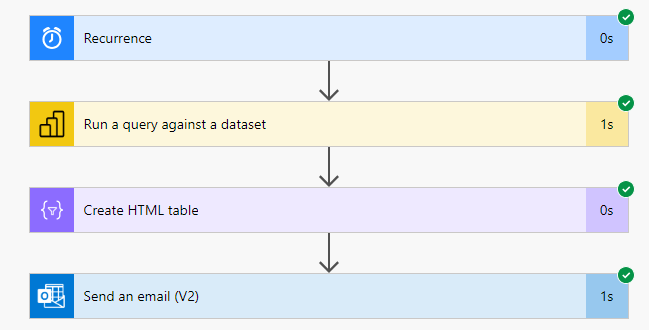
Power BI datasets contain a rich useful data resource that would be really useful in a Power Automate flow. In this post we will walk through how to get data from a Power BI dataset and then email that data. This is just one example of how you could use data fetched from a Power BI dataset behind a report....
Power BI desktop includes the Smart Narrative visual. This will summarise a page or visual in your report for you. Often though the summary it produces is not the summary you would have written. This post will show you how to write your own custom smart narrative that updates and filters exactly the same as the standard smart narrative. YouTube...
In Part 1 we added Power BI to the Power Platform solution and then in Part 2 we added a dashboard. This is post we will embed the report into a form and filter the report to match the context of the form. For this we will use the Accounts form and filter the expenses report to only show the...
In Part 1 we added a Power BI to a Power Platform Solution. In Part 2 we will create a dashboard and add it to the model driven app.