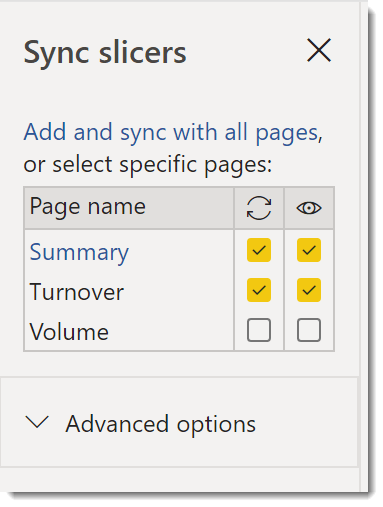
How many reports have duplicate slicers across the pages and the report reader has to re-apply the slicer values on each page? Sync slicers fixes the problem.
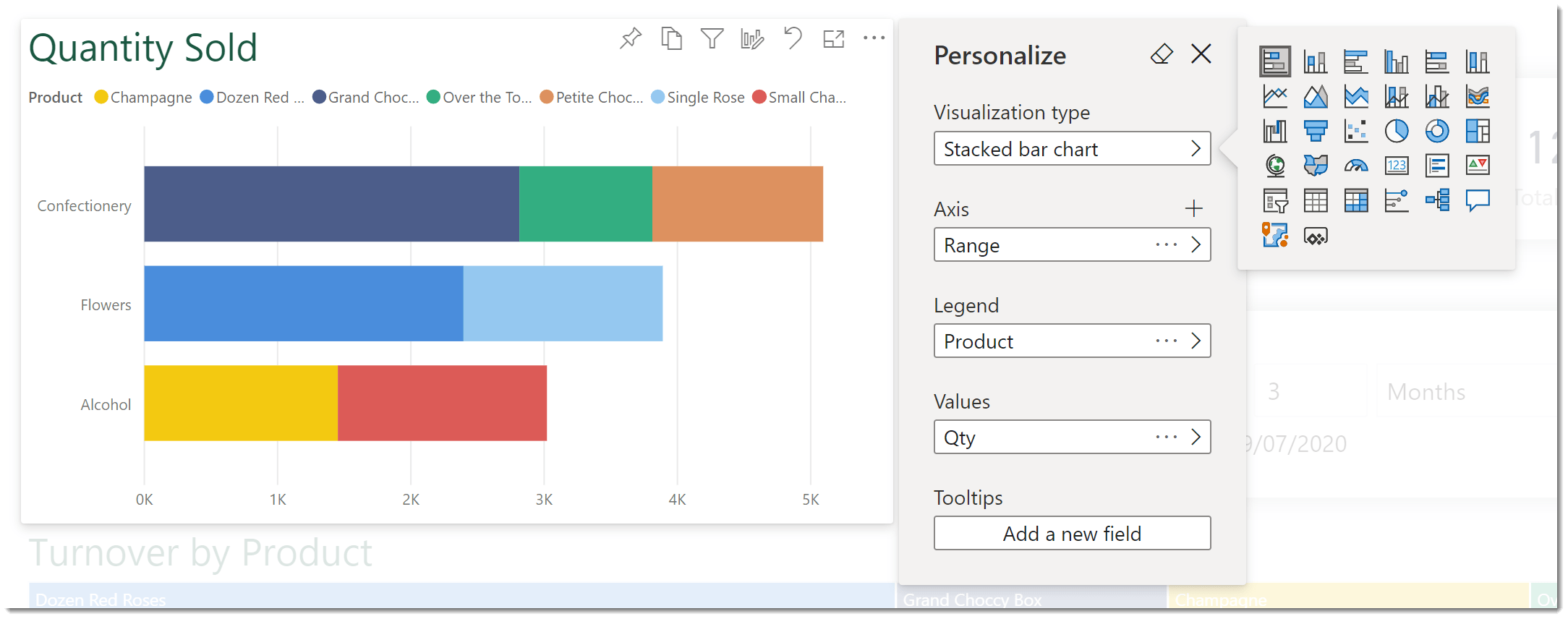
The May 2020 update for Power BI includes the option for a report reader to personalize visuals and save the changes as a bookmark.
This post is to support my virtual session at London Reactor on 22nd June. It will include the recording and links to the data source and the final Power BI Report. Link to Recording will go here…. Data Used at Reactorand Final File Data in a single Excel File Final PBIX File Links to great Resources
The buzz of being nominated for an MVP is great, adding the community activities you do with passion all working towards what is built up to being a huge a goal. Hopefully eventually you get the email we’ve all seen in social media to say you’ve been awarded an MVP. You put out the messages saying how humbled, honoured, happy...
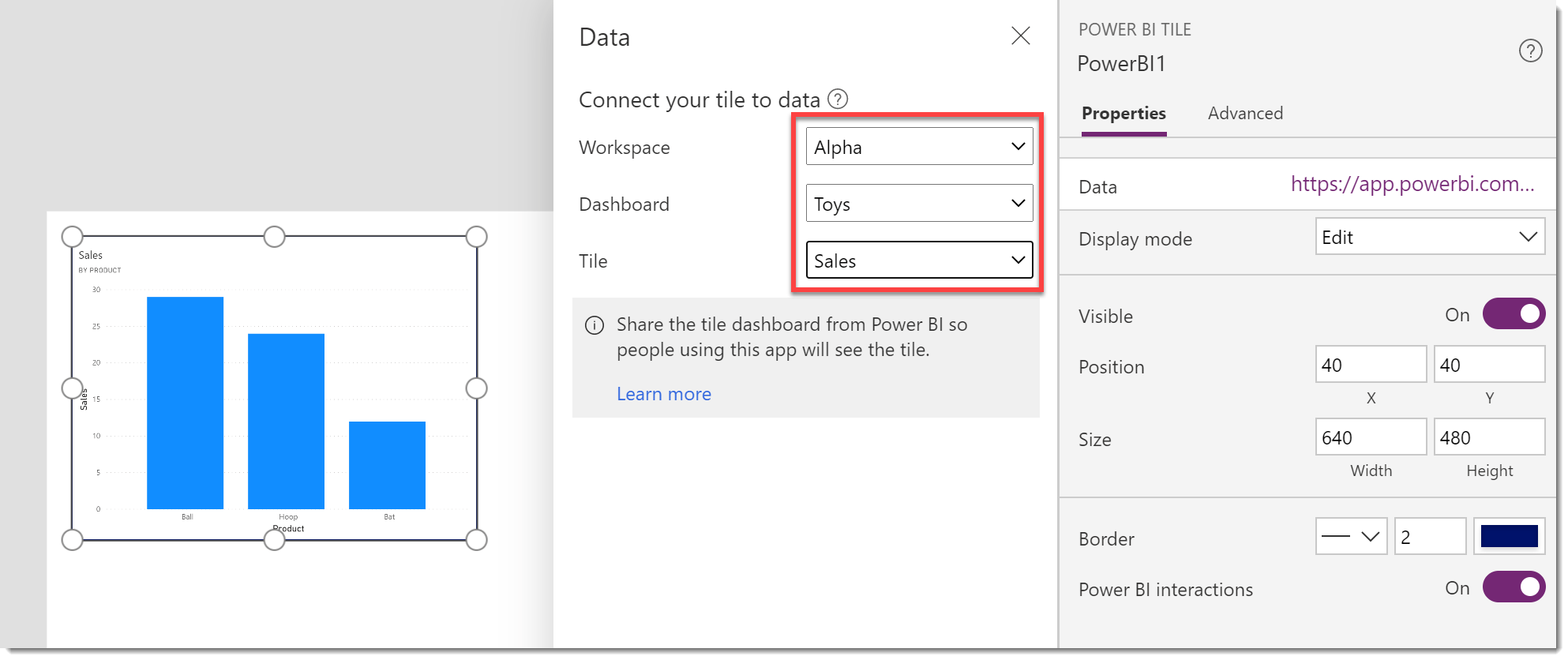
This post covers how to embed a Power BI chart from a published report into a Power App, handling a tile that doesn’t appear and then filtering the embedded chart.
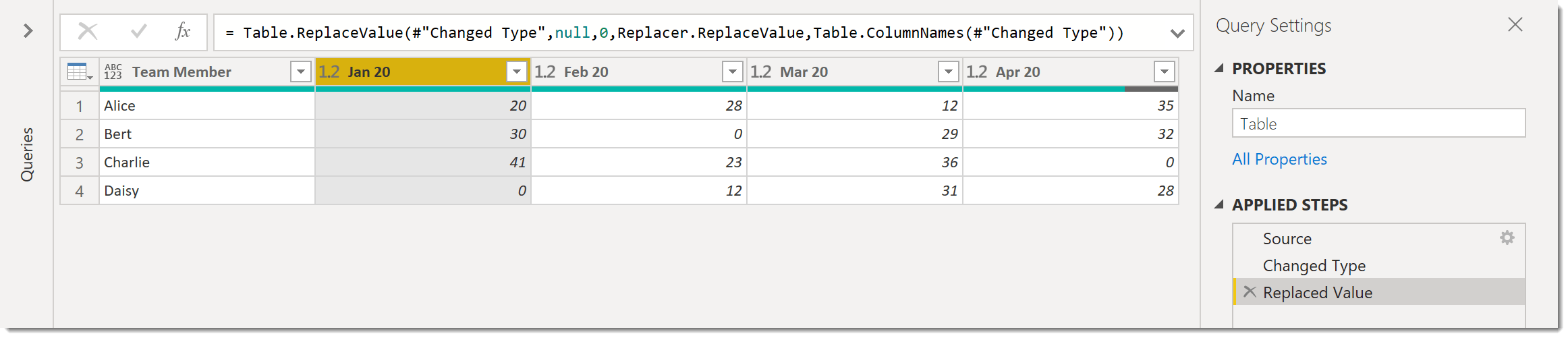
Today’s challenge was to replace the values on all the columns in the query when I know the columns will change so I don’t want to name them.
In this post we will use dynamic containers to arrange out content so it moves to the planned location at the different screen sizes. We will need to calculate the screen size and then use it to position and size the containers. This post assumes you’ve done everything in the first 2 posts. Calculate Screen Size In order to make...
A responsive app resizes the app based on the browser window and moves parts of the app to make the app work in different screen sizes. The most common sizes to handle are monitor, tablet and mobile phone. Create the Responsive App In the video and for my example I design the app based on a the larger size and...
Before you start a responsive app you need to plan where each element will be on the screen at the different screen sizes. Planning is vital.
This post walks through a simple use of the coalesce function to prevent a measure returning Blank. This function was introduced to Power BI in March 2020.